

Getting started with the School Career Center
Who can use your school’s Career Center, how to sign in, and your first three steps.
SCL member schools post jobs on the SCL job board for free and review applications in their School Career Center.
Who can use it
Everyone on your school’s staff list in the SCL member portal can use your school’s Career Center while your school’s membership is current. Everyone has the same access: they can post, edit and close listings, read applications and update the school profile.
Signing in
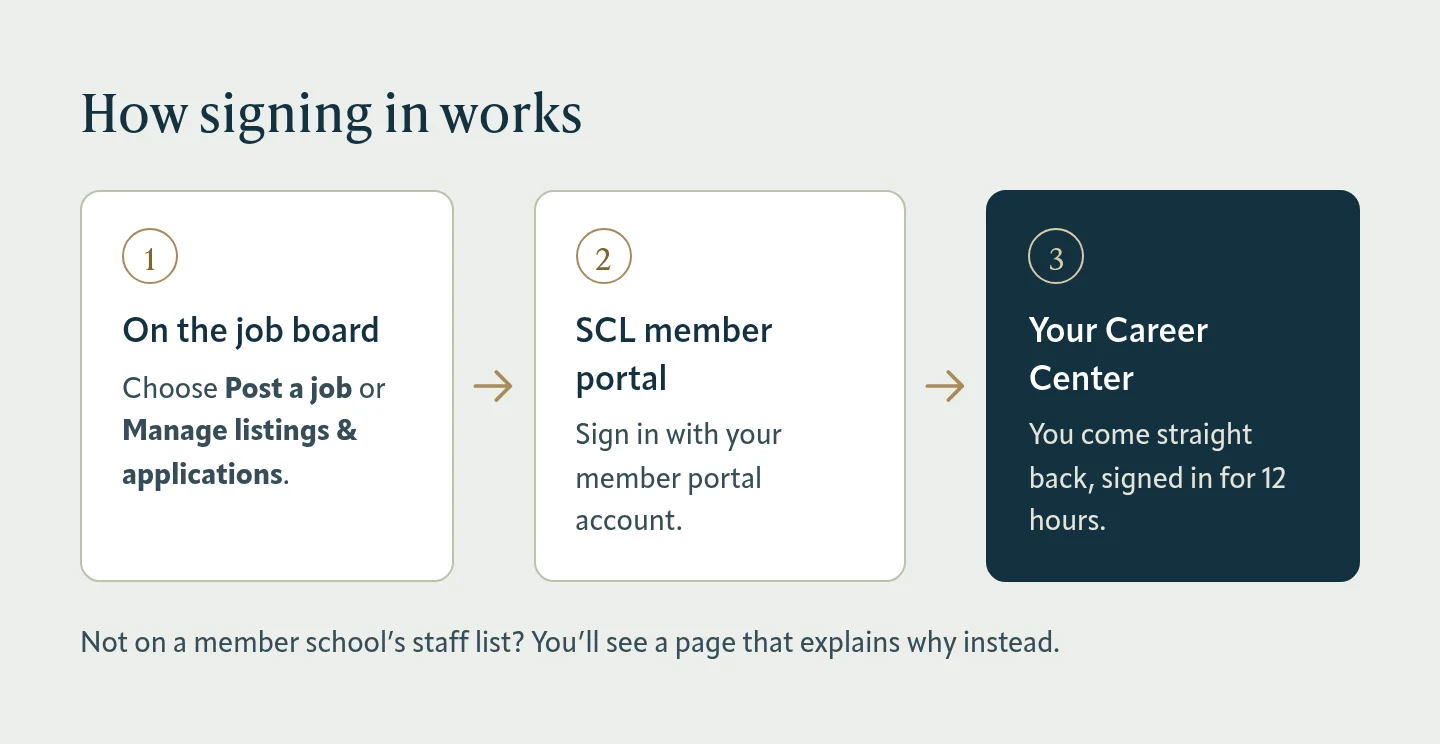
Choose Post a job or Manage listings & applications under For member schools on the job board. You’ll sign in with your SCL member portal account and come straight back. A sign-in lasts 12 hours.

While you’re signed in, Career Center appears in the site menu after Job board, so you can get back to it from any page.

Your first three steps
Until your school has a profile and its first listing, your Career Center opens with a checklist of these steps. Hide puts it away in this browser.

- Confirm who receives applications. Each listing’s applications are emailed to its hiring contact. New listings start with the hiring email in your school profile, so check it under School profile.
- Post your first job. Listings go live as soon as you publish and run for 30 days unless you choose a closing date.
- Watch for applications. We’ll email the listing’s hiring contact about each one; open Applications to read messages and download résumés.
More than one school
If your membership has more than one school in the Career Center (for example, campuses that posted separately on the previous website), pick one under Your school and select Switch school. It’s at the top of your job listings, applications and school profile. Each school has its own listings, applications and profile.

Not seeing your earlier listings?
Listings from the previous SCL website were connected to most schools automatically. If your school’s earlier listings or applicants are missing, contact SCL and we’ll connect them.
Was this article helpful?
Thanks for letting us know.
Thanks. Tell us what was missing and we’ll improve this article.
Can’t find what you need?
Contact SCL